Overview
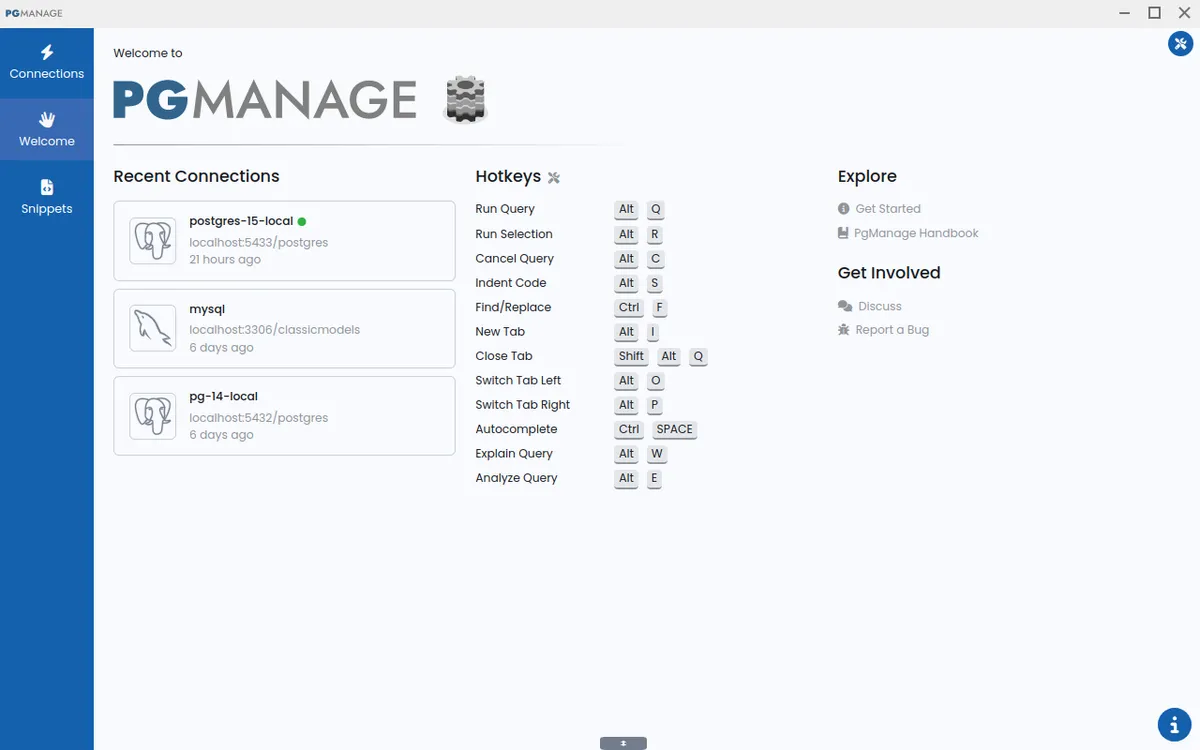
Audax Data Manager (formerly PgManage) is a modern, open-source SQL editor and graphical database administration tool developed by Command Prompt Inc. It aims to provide developers and database administrators with a powerful yet unobtrusive interface for managing multiple database systems. The tool supports PostgreSQL, MySQL, MariaDB, SQL Server, Oracle, and SQLite3, making it a versatile choice for teams working across different database platforms. Its market positioning focuses on being a privacy-first, offline-capable alternative to cloud-based database clients, with a strong emphasis on security and user control.
Key Features
Multi-Database Support – Audax Data Manager supports six major database engines: PostgreSQL, MySQL, MariaDB, SQL Server, Oracle, and SQLite3. This broad compatibility allows users to manage diverse database environments from a single interface, reducing the need for multiple specialized tools.
Modern and Intuitive Interface – The tool features a clean, modern UI with switchable themes and UI scaling options. It is designed to stay out of the user's way, providing a distraction-free environment for writing queries and managing database objects.
Privacy-First Security – Audax Data Manager is built with a privacy-first philosophy: it collects no telemetry or user data. Credentials are stored in encrypted form, and the application works entirely offline, ensuring sensitive database information never leaves the user's machine.
Powerful Administration Tools – Beyond query editing, the tool includes features for viewing database performance metrics, running backups, managing roles and extensions, tuning PostgreSQL server parameters, and connecting via SSH tunnels. These capabilities make it suitable for both development and production database management.
Convenient Data Editing – Users can work with multiple database workspaces simultaneously, edit data in a spreadsheet-like grid, and locate database objects using fuzzy search. Hotkeys and keyboard navigation are supported for core features, enhancing productivity for power users.
Smart Query Assistance – The SQL editor provides schema- and context-aware autocomplete suggestions for tables, views, columns, aliases, and functions as the user types. Query error annotations are placed exactly where the problem occurs, and table data can be copied as Markdown, JSON, or CSV.
Enterprise Edition – For organizations needing remote access, multi-user support, OAuth2 authentication, and deployment on AWS or Docker, an Enterprise edition is available. The Community edition is free and open-source but lacks these advanced features.
How It Works
After downloading and installing the appropriate version for Linux, Windows, or macOS, users launch the application and are greeted with a connection manager. They can add new database connections by specifying the database type, host, port, credentials, and optional SSH tunnel settings. Once connected, the main interface displays a database explorer panel on the left, a query editor in the center, and result/output panels below. Users can browse database objects, open multiple query tabs, and execute SQL statements with syntax highlighting and autocomplete. The data editor allows inline editing of table rows, and the ERD viewer provides a visual representation of database schemas. Backups and restores can be performed with a few clicks, and server configuration parameters can be adjusted directly from the interface. The entire workflow is designed to be intuitive, with keyboard shortcuts and context menus available for efficient navigation.
Use Cases
Database Development and Testing – Developers can use Audax Data Manager to write and test SQL queries against multiple database engines without switching tools. The smart autocomplete and error annotations speed up query development and debugging.
Production Database Administration – DBAs can monitor performance metrics, manage backups, tune PostgreSQL parameters, and handle roles and extensions—all from a single desktop application. The SSH tunnel support ensures secure connections to remote servers.
Data Migration and Integration – With support for six database types, the tool is ideal for migrating data between systems. Users can export query results as CSV or JSON and import data into other databases.
Education and Training – Instructors and students can use the free Community edition to learn SQL and database administration. The intuitive interface reduces the learning curve, and the offline capability means no internet is required.
Small Business Database Management – Small teams that need a cost-effective database client can rely on the open-source Community edition. It provides essential features without the overhead of cloud-based tools or expensive licenses.
Pricing & Value
Audax Data Manager offers two editions: Community and Enterprise. The Community edition is free and open-source, available for download from GitHub. It includes all core features and works offline, making it an excellent choice for individual developers and small teams. The Enterprise edition adds remote web browser access, multi-user support, OAuth2 authentication, and deployment options on AWS and Docker. Pricing for the Enterprise edition is not publicly listed; interested users must contact sales via email. For organizations that need centralized management and remote access, the Enterprise edition likely provides good value, but the lack of transparent pricing may be a drawback. Overall, the Community edition offers exceptional value for a free tool, while the Enterprise edition targets larger teams with specific needs.
Final Verdict
Audax Data Manager is a solid, privacy-focused database client that excels in multi-database support and offline functionality. Its modern interface, smart query assistance, and comprehensive administration tools make it a strong contender among open-source database managers. The Community edition is particularly appealing for individual developers and small teams who want a free, capable tool without telemetry or data collection. However, the Enterprise edition's pricing opacity and the lack of certain features like cloud sync or collaboration in the free version may limit its appeal for larger organizations. Overall, Audax Data Manager is recommended for developers and DBAs who value privacy, offline access, and broad database compatibility.