Overview
In the crowded landscape of developer tools, the process of creating and maintaining API documentation remains a notorious bottleneck. While the OpenAPI Specification has become the industry standard for describing RESTful APIs, transforming that spec into a polished, interactive, and user-friendly documentation portal is a separate, often tedious, engineering task. This is the precise gap that ApiNotes targets. The product’s value proposition is starkly simple: publish your API docs in 60 seconds. It is a free, no-frills tool designed for developers, startup teams, and indie makers who need to ship professional, interactive API documentation instantly, without the overhead of self-hosting solutions or complex configuration.
The target audience is clear: any individual or team that has an OpenAPI spec (YAML or JSON) and needs a public-facing documentation site. This includes solo developers launching a micro-SaaS, startup engineering teams in their MVP phase, and even larger organizations needing quick internal or partner-facing docs for a new service. The competitive landscape includes heavyweights like ReadMe and Stoplight, which offer extensive customization and collaboration features at a cost, and open-source solutions like Swagger UI and Redoc, which require hosting and setup. ApiNotes differentiates itself through sheer simplicity and speed, positioning itself as the "drop and go" solution. This review will assess whether ApiNotes delivers on its promise of instant, beautiful docs and where it fits within a developer’s toolkit.
Key Features
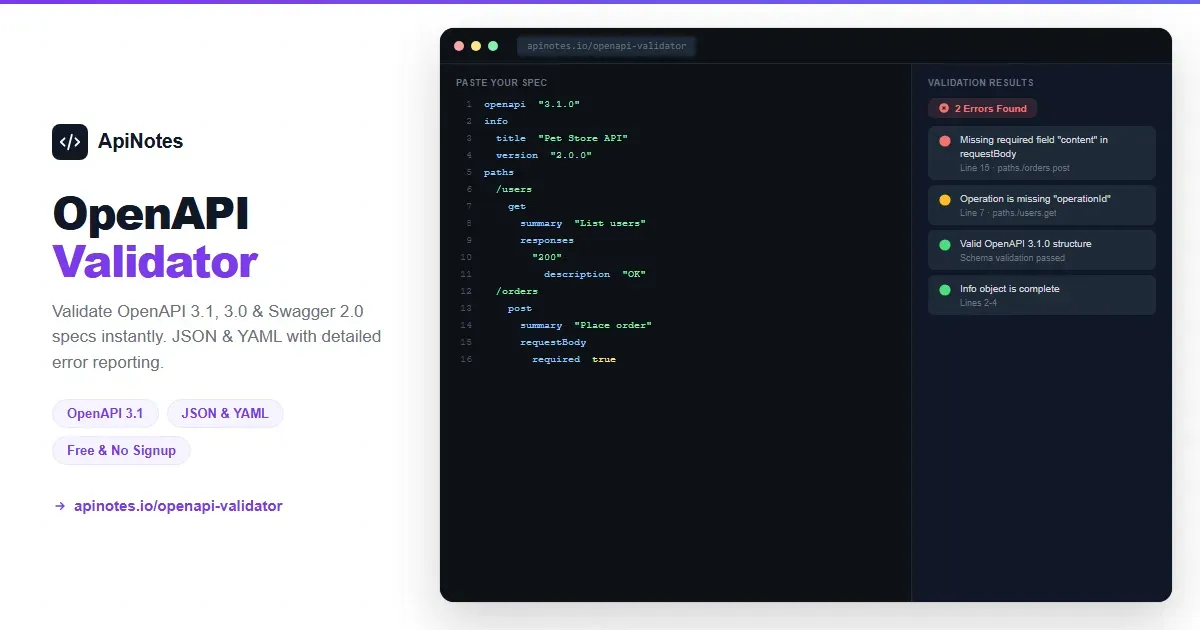
- Instant OpenAPI Spec Processing: At its core, ApiNotes is a spec processor. Users can paste a raw OpenAPI YAML/JSON, provide a URL to a hosted spec file, or upload a file directly. The system parses the specification immediately, validating its structure and preparing it for rendering. This eliminates the manual setup steps required by other tools, such as installing npm packages, configuring build pipelines, or setting up servers. The value is immediate time savings and the removal of a technical barrier for developers who just want their docs live.
- One-Click Custom URL & Deployment: After processing the spec, users are prompted to choose a unique subdomain under
apinotes.io(e.g.,myapi.apinotes.io). This step is arguably the "publish" button. There is no configuration for hosting providers, DNS settings, or CI/CD hooks. The documentation site becomes publicly accessible the moment the URL is claimed. This feature delivers the product's primary value: a live, shareable documentation endpoint in literal seconds, which is invaluable for quick feedback loops and demos. - Automatically Generated Interactive API Console: Like many modern doc tools, ApiNotes automatically generates a "Try It Out" console from the OpenAPI paths and parameters. This interactive component allows developers reading the docs to execute real API calls directly from the browser, complete with editable headers and request bodies. The console, hinted at by the
TryItNowstylesheet, appears to be a central UI component. This transforms static documentation into a dynamic sandbox, reducing friction for API consumers and potentially decreasing support requests. - Clean, Search-Optimized Documentation Layout: The tool generates a multi-pane documentation layout common to API docs: a persistent left-hand navigation sidebar listing all API endpoints, a central content area for detailed endpoint descriptions, parameters, and examples, and the interactive console. The inclusion of a
DocsSearchModalstylesheet indicates a dedicated, client-side search functionality across the entire documentation set. This is a critical feature for usability, allowing users to quickly find endpoints without manual navigation. - Syntax-Highlighted Code Samples & Structured Content: Based on the product description and standard practices, ApiNotes renders request and response examples with proper syntax highlighting for JSON and other formats. It also structures content logically from the OpenAPI spec, presenting summaries, descriptions, parameter tables (with types, requirements, and defaults), and HTTP status codes clearly. This automated presentation ensures consistency and readability, which are key for developer adoption.
- Zero-Configuration Theming & Branding: While advanced customization may be limited compared to paid platforms, the product promises "beautiful" documentation instantly. This implies a well-considered default theme that is clean, professional, and responsive. The use of modern CSS frameworks (as seen in the
_nuxtsubpages) suggests a Vue.js/Nuxt.js powered frontend that is likely fast and offers a smooth user experience for both the documentation publisher and the end-reader. - Completely Free Tier: The product is explicitly marketed as a "Free REST API documentation tool." This is a defining feature. There is no mention of tiered plans or feature gates on the main landing page, suggesting the core offering—publishing docs from an OpenAPI spec—is free. This positions ApiNotes as an accessible tool for hobbyists, open-source projects, and bootstrapped startups where budget for developer tooling is minimal.
How It Works
The user journey for ApiNotes is deliberately streamlined to fulfill its "60-second" promise. A user begins on the homepage (apinotes.io) which prominently features an input area—likely a large text box or a file upload zone. There is no upfront signup or account creation required to start the process, which significantly lowers the barrier to entry.
The first step is to provide the OpenAPI specification. The user can either paste the raw YAML/JSON content directly into the provided editor, drag and drop a file from their computer, or input a public URL where their spec file is hosted (e.g., a raw GitHub link). Upon submission, the backend validates and processes the spec. If successful, the user is immediately presented with a preview of their documentation and a prompt to claim a custom subdomain. They type their desired name (e.g., "myawesomeapi") and see the full URL (myawesomeapi.apinotes.io).
Upon confirming the URL, the documentation is published and live. The user may receive a unique, shareable link to manage or update that specific documentation project, possibly via a secret token or hash in the URL. The day-to-day workflow is simple: when the API changes, the developer updates their OpenAPI spec file (a standard practice) and repeats the process—paste the new spec into ApiNotes, and the live documentation updates instantly. There is no workspace to configure, no project dashboards to manage (based on the available information), and no integrations to set up. The product is a single-purpose utility: spec in, hosted docs out.
Use Cases
- The Solo Indie Hacker Validating an API-First Product: A developer is building a niche B2B SaaS tool with a public API. Before investing in a full-fledged developer portal, they need to provide potential early adopters and beta testers with a professional-looking documentation site to gather feedback on the API design itself. Using ApiNotes, they can iterate on their OpenAPI spec and have a live, interactive doc site for testers within a minute, accelerating the validation cycle without any infrastructure cost.
- The Startup Engineering Team at MVP Launch: A small startup of 3-5 engineers is preparing to launch their first public API. Their priority is shipping the core product, not building and hosting documentation infrastructure. They adopt ApiNotes to generate their go-to-market docs instantly. This provides a polished, credible interface for their first customers and partners, and frees up engineering resources to focus on the API's stability and features, not its documentation site's deployment pipeline.
- An Open-Source Project Maintainer: The maintainer of a popular library or framework that exposes a REST API needs to provide clear, hosted documentation for contributors and users. Managing a self-hosted solution like Redoc requires CI/CD and server management they'd prefer to avoid. By pointing ApiNotes to the
openapi.yamlfile in their GitHub repository, they can have a always-updated, free, and reliable documentation site with zero maintenance overhead. - Internal Tooling Teams for Rapid Prototyping: A platform team within a larger enterprise is building internal microservices. For rapid prototyping and sharing between teams, they need to document APIs quickly without going through formal procurement for a paid platform or lengthy internal hosting procedures. ApiNotes serves as a perfect "quick and dirty" solution to share interactive API contracts during the design and development phase.
Design & User Experience
Based on the implied structure from the discovered subpage assets, ApiNotes appears to prioritize a minimalist and functional design. The use of Nuxt.js (indicated by the _nuxt directory) typically results in a fast, single-page application experience. The presence of dedicated CSS files for documentation, TryItNow, and DocsSearchModal suggests a component-based architecture where each major part of the UI is carefully styled.
The navigation for the end-user (the developer reading the docs) is likely intuitive, following the established pattern of a sidebar nav for endpoints and a main content pane. The search modal (DocsSearchModal) is a critical UX enhancement for navigating large APIs. For the publisher, the UX is the product's strongest suit: a seemingly single-screen flow from input to publication. The learning curve is virtually non-existent for anyone with an OpenAPI spec. A potential rough edge, common to ultra-simple tools, could be the lack of a traditional account dashboard to manage all created documentation projects, though this may be a deliberate trade-off for simplicity. The design's professionalism hinges on the quality of the default theme; if it is indeed "beautiful" and fully responsive, it meets the core need credibly.
Pricing & Value
The most striking aspect of ApiNotes' pricing is its apparent simplicity: the product is described unequivocally as a "Free REST API documentation tool." There is no mention of pricing tiers, paid plans, or feature limitations on the primary marketing site. This suggests a singular, free offering.
This presents exceptional value for the specific use cases outlined. Compared to the cost of developer time to set up and host an open-source solution or the monthly subscription fees of platforms like ReadMe (which start at $99/month), ApiNotes' price of $0 is unbeatable. The value proposition is clear: in exchange for a free, hosted documentation site, users accept the constraints of the ApiNotes platform (e.g., subdomain, limited customization, no built-in team collaboration features). The free tier is not a teaser—it appears to be the product. The upgrade path, if one exists, is not visible, indicating the tool may be supported through other means, such as future premium add-ons, sponsorship, or as a lead-in for other services.
Who Is ApiNotes Best For?
ApiNotes is an ideal fit for:
- Bootstrapped Founders and Indie Developers: Individuals or tiny teams where every dollar and every hour counts. If you have an OpenAPI spec and need presentable, interactive docs to launch, ApiNotes removes an entire category of work and cost.
- Open-Source and Community Projects: Projects that need reliable, maintenance-free documentation hosting without a budget. The free model is sustainable for public goods, and the simplicity aligns with contributor-friendly workflows.
ApiNotes may not be the best choice for:
- Enterprise Teams Requiring Advanced Features: Organizations that need single sign-on (SSO), granular user access controls, custom domain support with SSL management, detailed analytics on doc usage, or deep branding customization will find ApiNotes too limited. They should look toward full-featured platforms like Stoplight or ReadMe.
- Teams Needing Integrated API Design Workflows: If the primary need is collaborative API design, mocking, and testing integrated with documentation, ApiNotes is solely a publishing endpoint. Teams would benefit more from an integrated API development environment.