Overview
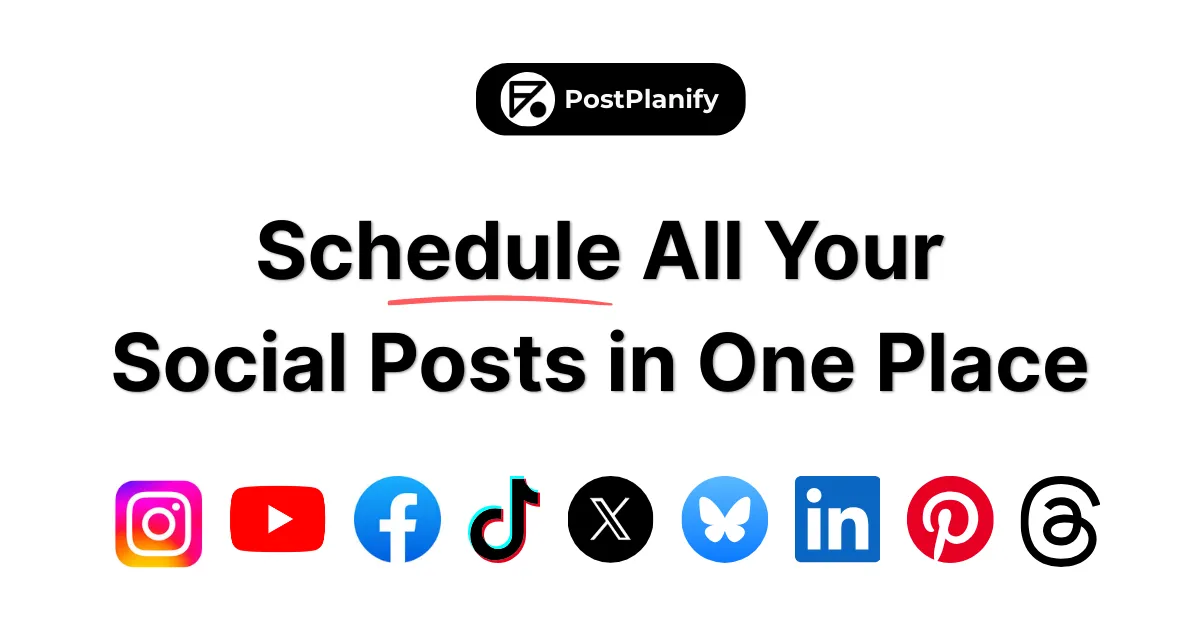
In the crowded ecosystem of social media management tools, where bloated enterprise suites and oversimplified schedulers often leave a gap, PostPlanify emerges as a targeted solution for a specific, growing audience: the professional creator, the scaling agency, and the collaborative team. The core problem it addresses is the operational chaos of managing a multi-platform social presence—juggling disparate calendars, drowning in notifications, and struggling to prove ROI—without succumbing to the complexity and prohibitive cost of legacy platforms. PostPlanify positions itself not as a niche player, but as a modern, full-featured contender that consolidates planning, publishing, analytics, and engagement across ten major platforms, including Instagram, X (Twitter), Facebook, LinkedIn, YouTube, TikTok, Threads, Pinterest, Bluesky, and Google Business.
The competitive landscape is dominated by established names like Hootsuite, Buffer, and Sprout Social, which often employ per-seat pricing models that can stifle team growth and come with slower, more bureaucratic support structures. PostPlanify’s differentiation is threefold: its founder-led, responsive customer support; a development cycle that rapidly implements user feedback; and a transparent pricing model that notably includes unlimited team members on most plans, eliminating a significant pain point for agencies. This review will analyze whether PostPlanify successfully bridges the gap between powerful functionality and accessible, value-driven execution, making it a viable choice for those who have outgrown basic tools but are not yet—or do not wish to be—locked into an enterprise behemoth.
Key Features
- Unified Content Calendar & Scheduler: At the heart of PostPlanify is a visual, drag-and-drop calendar that serves as the command center for all scheduling activities. Users can view, plan, and edit posts across all connected platforms from a single, color-coded interface. The workflow involves selecting target networks, uploading media directly from the integrated library or connected services like Canva and Google Drive, crafting captions, and setting publication times. This delivers immense value by providing an at-a-glance overview of the content pipeline, eliminating the need to switch between multiple platform-native schedulers or disparate spreadsheets, and ensuring consistent posting schedules to maintain audience engagement.
- Advanced Analytics & White-Label Reporting: Moving beyond simple engagement counts, PostPlanify’s analytics module tracks detailed performance metrics for both individual posts and overall account growth. This includes data on reach, impressions, engagement rates, and follower trends across all connected profiles. The critical value-add, especially for agencies, is the ability to generate white-label PDF reports directly from the platform. This feature allows professionals to compile performance data into branded documents for client presentations, transforming raw analytics into actionable business insights and demonstrating clear ROI without manual data compilation.
- Consolidated Social Inbox with AI Assistance: This feature aggregates comments and direct messages from all connected social accounts into a single, streamlined inbox within the PostPlanify dashboard. Team members can view, label, assign, and respond to conversations without logging into each platform individually. The integration of AI-assisted response suggestions accelerates reply times and helps maintain a consistent brand voice. The value is twofold: it drastically reduces the time spent on community management by centralizing communication, and it ensures no customer inquiry or engagement opportunity is missed across the fragmented social media landscape.
- Unlimited Team Collaboration & Approval Workflows: Defying industry norms, PostPlanify offers unlimited team members on its Premium and Enterprise plans, and generous allowances on others, doing away with per-seat fees. Teams can collaborate using shared calendars, role-based permissions (e.g., contributor, approver, admin), and structured approval workflows where drafts must be reviewed before scheduling. This is particularly valuable for agencies and in-house marketing teams, as it enables seamless coordination between content creators, managers, and clients, enforces quality control, and scales team capacity without incurring exponential cost increases.
- Integrated AI Assistant for Content Creation: The built-in AI tools are designed to accelerate the content creation process. Users can generate post captions, brainstorm content ideas, optimize hashtag sets, and even create custom images. This functionality is woven directly into the post composer, allowing for a smooth workflow from idea generation to scheduled publication. The value lies in overcoming creative block, reducing the time and resource cost of content production, and maintaining a steady flow of fresh, varied content for social feeds.
- Centralized Media Library & Asset Management: PostPlanify provides a cloud-based media library where teams can upload, organize, and tag brand assets—logos, product images, video clips, brand guidelines—for easy reuse across campaigns and clients. Its direct integration with Canva, Unsplash, Google Drive, and Dropbox allows users to import existing assets without downloading and re-uploading. This delivers organizational value by creating a single source of truth for brand media, ensuring consistency in visual content, and speeding up the post-creation process through quick access to approved assets.
- Customizable Link-in-Bio Pages: Recognizing the importance of link optimization, especially for Instagram and TikTok, PostPlanify includes a tool to create branded, multi-link landing pages. Users can design a page that matches their brand identity and aggregate multiple important links (e.g., latest blog post, product page, event registration) into one shareable destination. The value is clear: it maximizes the utility of the single link allowed in social bios, drives traffic strategically, and provides a professional, cohesive landing experience for followers without requiring a separate web development project.
How It Works
The user journey begins with a straightforward sign-up for a 7-day free trial, notably without requiring credit card information—a low-friction entry point. Upon account creation, users are guided to connect their social media profiles via each platform’s official API, a secure process that grants PostPlanify necessary publishing and analytics permissions. The dashboard then loads, presenting the main content calendar as the central workspace, with navigation to the social inbox, analytics, media library, and team settings.
The day-to-day workflow revolves around the calendar. To create a post, a user clicks on a date, selects the target social accounts (with the option to customize the message per platform), and uses the composer. Here, they can pull media from the integrated library, use the AI to generate or refine a caption, add hashtags from a saved collections, and schedule the post for a specific time or add it to a queue. For planning in bulk, users can upload posts via CSV or use the calendar to drag and drop placeholders to visualize the content flow. Team members can be assigned to draft posts, which then move through a configured approval workflow before being scheduled.
Simultaneously, the social inbox runs in the background, pulling in interactions. Team members monitor and respond from this unified hub. Analytics are collected automatically post-publication. The platform’s integrations with design tools like Canva and cloud storage like Google Drive mean users rarely need to leave the ecosystem to create or source assets, creating a cohesive and efficient operational loop for social media management.
Use Cases
- A 5-person digital marketing agency managing 15+ mid-market retail clients. The agency can create a separate workspace for each client, connecting all their social profiles. Content calendars are planned weeks in advance using bulk scheduling. Junior staff draft posts, which are routed via approval workflows to account managers for review before publishing. The consolidated inbox allows a dedicated community manager to handle all client comments from one screen. At month-end, the agency uses white-label analytics reports to demonstrate campaign performance and follower growth to each client, justifying their retainer and informing strategy. The unlimited team feature on the Premium plan allows the entire agency to collaborate without budget anxiety over adding a new hire.
- A solo financial advisor building a thought leadership brand on LinkedIn and X (Twitter). Juggling client meetings with content creation, the advisor uses PostPlanify’s AI assistant to generate draft threads and article summaries based on current market trends. They schedule a week’s worth of educational content and market commentary during a dedicated Sunday planning session using the visual calendar. The link-in-bio page directs profile visitors to their latest webinar sign-up, newsletter subscription, and regulatory disclosures. The analytics help them identify which topics (e.g., retirement planning vs. tax strategies) generate the most engagement and client leads, allowing them to refine their content focus efficiently.
- The in-house social media manager for a B2B SaaS company with product, sales, and executive teams contributing. The manager sets up PostPlanify as the central hub for the company’s LinkedIn, Twitter, and YouTube presence. They use role-based permissions to allow product managers to draft launch announcements, sales to share case studies, and the CEO to schedule thought leadership posts—all routed to the social media manager for final approval and branding consistency. The media library stores all product screenshots, logo variations, and video templates. This workflow distributes the content burden while maintaining a unified, professional voice and ensuring no conflicting messages are published.
- A travel influencer and content creator posting daily across Instagram, TikTok, and Pinterest. Needing to maintain a consistent presence while often in locations with poor internet, the creator uses PostPlanify to queue up weeks of content during dedicated editing days. They utilize the Canva integration to create branded story templates and the bulk scheduler to plot out a content narrative. The unified inbox ensures they can stay engaged with their community by responding to comments in batches when connected. The analytics reveal which destination videos perform best, guiding future content and partnership pitches with tourism boards.
Design & User Experience
Based on the public-facing website and implied interface, PostPlanify presents a clean, modern, and professional aesthetic that aligns with current SaaS design standards. The navigation appears logically structured around core functional areas (Calendar, Inbox, Analytics, etc.), suggesting an intuitive learning curve for users familiar with social media tools. A standout design decision, evident from the feature set, is the prioritization of the content calendar as the primary dashboard view—a sensible choice that immediately surfaces the most critical information for a planner.
The integration of AI features and third-party apps (Canva, Drive) directly into the post-composer workflow indicates a focus on reducing context-switching, a key tenet of good UX. While the platform seems comprehensive, the potential complexity introduced by multi-workspace management, approval chains, and advanced analytics could present a steeper initial setup for absolute beginners compared to ultra-simple schedulers. However, the overall impression is of a thoughtfully designed interface that balances power with clarity. The website itself is responsive, and one would expect the application to follow suit for mobile management, though the primary use case likely remains desktop-centric for planning.
Pricing & Value
PostPlanify structures its offering into four clear tiers, with annual billing offering roughly a 17% discount. The Starter plan at $24/month (annually) suits solo entrepreneurs or very small businesses, offering 5 social accounts and 200 monthly posts. The Growth plan at $39/month (annually) is the popular sweet spot for serious creators and small teams, unlocking 10 accounts, unlimited posts, and the vital social inbox. The Premium plan at $79/month (annually) is tailored for agencies and growing businesses, with 25 accounts, 5 users, white-label reporting, and approval workflows. Custom Enterprise plans cater to large organizations with needs for unlimited users, dedicated support, and enhanced limits.
The value proposition is compelling, particularly when compared to competitors who charge per user seat. The inclusion of features like the AI assistant, link-in-bio pages, and API access across all paid tiers is generous. The 7-day free trial without a credit card is a confident, user-friendly offer, and the 14-day money-back guarantee provides a safety net. The upgrade path is logical, scaling primarily by social account count and advanced collaboration features. For teams, the value escalates quickly, as adding members does not trigger a linear cost increase.
Who Is PostPlanify Best For?
PostPlanify is an excellent fit for digital marketing agencies and boutique firms that manage multiple client accounts and need robust collaboration, white-label reporting, and a pricing model that doesn’t penalize team growth. It is also highly suitable for serious content creators, influencers, and solo consultants who manage a professional brand across several platforms and require a reliable, all-in-one system for scheduling, analytics, and engagement that goes beyond basic mobile apps.
Conversely, users might want to look elsewhere if they are very large enterprises with complex, existing martech stacks requiring deep, pre-built integrations (like Salesforce or advanced CRM bi-directional syncs) and those who necessitate 24/7 phone support and dedicated strategic account management typically found in top-tier enterprise contracts. Additionally, individuals or micro-businesses who only need to schedule posts for a single Facebook and Instagram account might find the feature set and pricing of simpler, cheaper, or even platform-native tools to be more than adequate for their minimal needs.
Final Thoughts
PostPlanify’s greatest strengths are its comprehensive multi-platform support, its disruptive and team-friendly pricing model that includes unlimited collaborators, and its customer-centric approach evidenced by founder-led support and responsive development. It successfully packages a powerful feature set—from AI-assisted creation to client-ready analytics—into a coherent platform that feels both capable and accessible.
The most notable limitations are relative to the upper echelon of the market; it may not yet offer the vast third-party integration ecosystem or the depth of enterprise-grade security and compliance controls that Fortune 500 companies demand. The platform’s scalability for organizations with hundreds of social profiles remains to be fully stress-tested in the public domain.
For agencies, small to medium businesses, and professional creators who prioritize a powerful toolkit, transparent value, and a responsive team behind the product, PostPlanify is absolutely worth trying. It represents a modern, agile alternative to established giants, proving that robust social media management need not come with bureaucratic baggage or punitive pricing. Explore the platform’s capabilities further by reviewing their detailed feature breakdown or analyzing their pricing structure to see where it fits in your workflow.