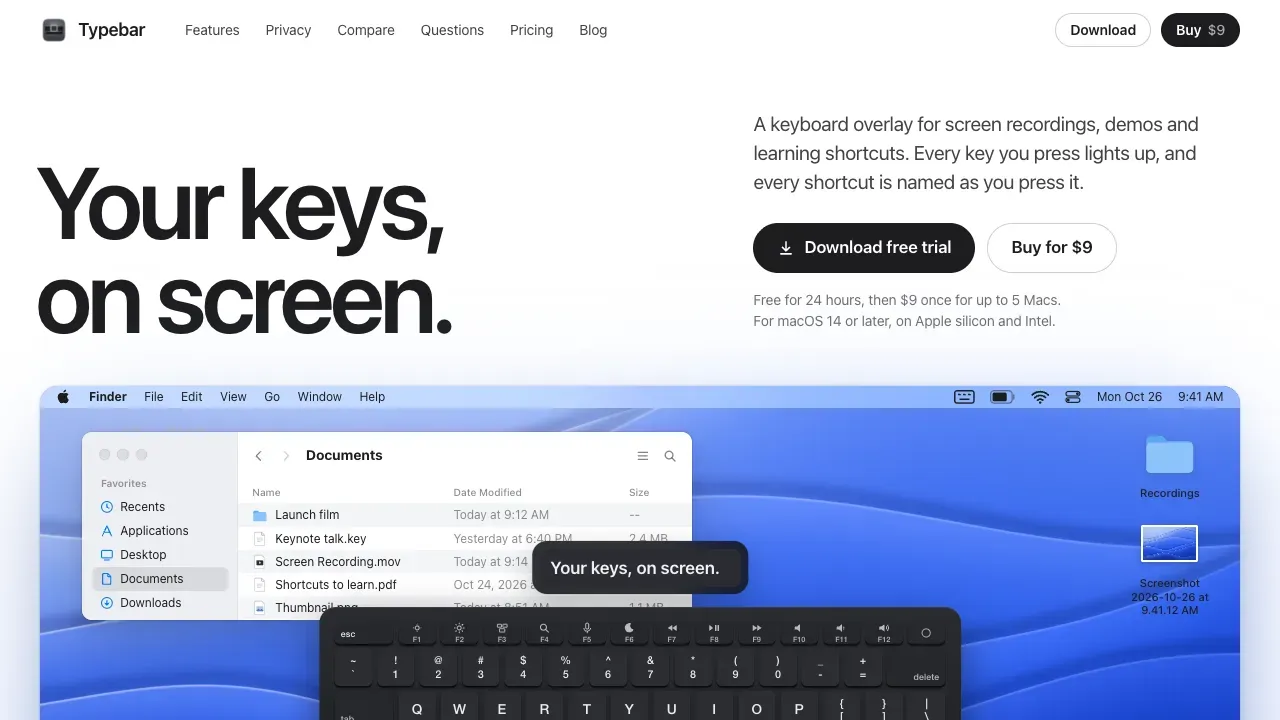
Typebar is a keyboard overlay for the Mac, made for screen recordings, demos and learning shortcuts. Every key you press lights up on an on-screen keyboard, and a pill names each shortcut from the app's own menus, like Screenshot Selection for Shift Command 4.
The pill shows what you press as keycaps. Typing gathers into one chip, and a shortcut pressed again counts up. Show the Keyboard, the Pill, or Both, each with its own size and place on screen.
Hold a modifier and the keys show what they do in the app in front. Typebar reads each app's own menus, so it works in every app. There are cheatsheets for every app, 20 hand-made packs for the shortcuts menus leave out, and your own keybindings from 11 apps, read from their settings files. Search a cheatsheet, edit it, and export it as a PNG or PDF.
Click ripples show every click, a trail follows a drag, and a halo keeps the pointer easy to find. Spotlight dims every display except a circle around the pointer. Six switch sounds are made on your Mac with no audio files.
There are 40 themes, from Apple keyboards to mechanical caps, glass and neon, and Theme Studio lets you make your own. Profiles keep a whole setup, with Recording, Presenting and Learning ready to go.
Typebar can show itself when a recording or a share starts and hide when it stops. Password fields stay private, and nothing you type is saved or sent anywhere. Links, a command line tool and Shortcuts actions let scripts control the board.
Free for 24 hours, then $9 once for up to 5 Macs. macOS 14 or later, on Apple silicon and Intel.