Overview
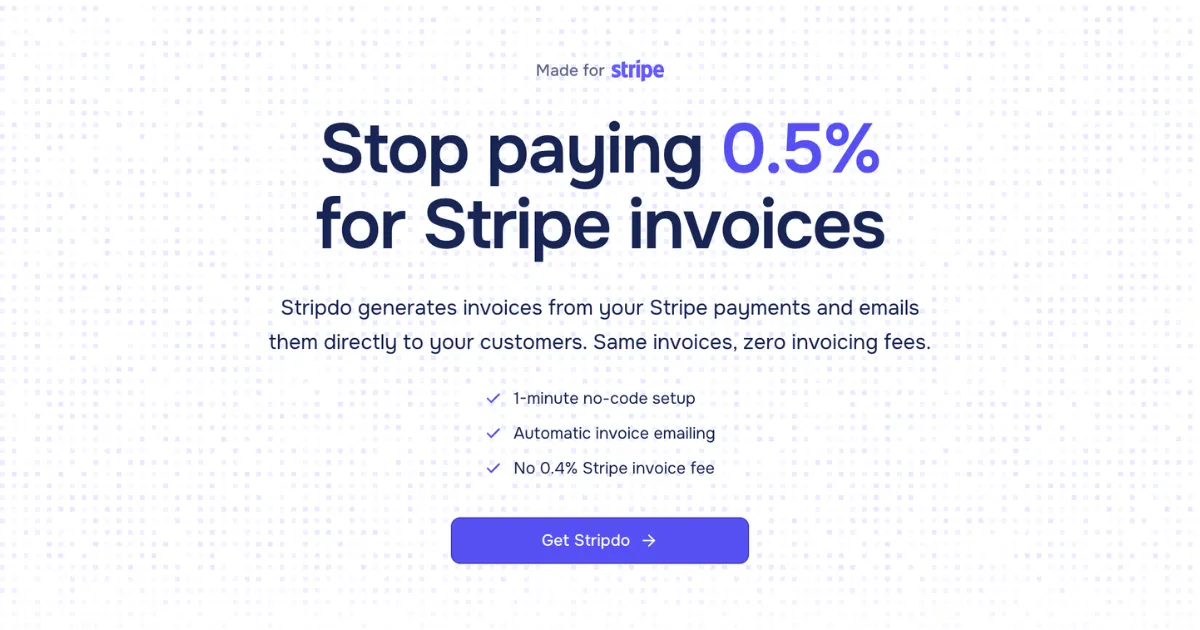
In the competitive landscape of financial technology, efficiency is often found not in building complex new systems, but in streamlining existing ones. Stripdo enters this space with a remarkably focused proposition: it is a single-purpose SaaS tool designed to eliminate a specific, recurring cost for businesses using Stripe. The product addresses the 0.4% fee Stripe charges each time it generates and emails an invoice to a customer. For businesses with high transaction volumes, this fee, while seemingly small per invoice, can compound into thousands of dollars in annual overhead for what is essentially a automated administrative task. Stripdo’s solution is to provide identical functionality—automatic invoice generation and delivery triggered by Stripe payments—but at a flat annual subscription rate, thereby converting a variable, usage-based cost into a predictable, fixed expense.
The target audience is precisely defined: any business that processes payments through Stripe and has a need to provide formal invoices. This includes SaaS companies with recurring subscriptions, digital agencies and freelancers billing for project work, e-commerce stores, and subscription box services. The competitive landscape includes Stripe’s own native invoicing (the cost center Stripdo directly attacks), full-scale accounting suites like QuickBooks Online or Xero, and other Stripe-connected tools. Stripdo differentiates itself through extreme simplicity, a no-code setup measured in seconds, and a pure cost-saving value proposition. It does not seek to be an accounting ledger or a multi-gateway payment processor; it is a surgical tool for financial optimization. The thesis for this review is that Stripdo’s power lies in its constrained scope—by doing one thing exceptionally well, it delivers undeniable value for a specific subset of businesses, making it a compelling utility in their tech stack.
Key Features
- One-Minute No-Code Setup: This is Stripdo’s flagship feature and a major differentiator. Instead of a multi-step onboarding wizard requiring account creation and complex configuration, the setup is shockingly simple. A user pastes a single, restricted Stripe API key into Stripdo’s dashboard. The system then autonomously creates the necessary webhook in the user’s Stripe account and begins listening for payment events. This eliminates the technical barrier typically associated with API integrations, making it accessible to non-technical founders, freelancers, and administrators. The value is immediate time-to-value and the elimination of any need for developer resources, allowing businesses to start saving on fees almost instantly.
- Automatic Invoice Generation and Emailing: This is the core automation engine. Upon receiving a webhook notification from Stripe that a payment has succeeded, Stripdo automatically compiles a professional PDF invoice. It pulls in all relevant customer details from the Stripe payment object, including name, email, billing address, and VAT/Tax IDs if present. The invoice is then emailed directly to the customer’s address on file. The system handles sequential invoice numbering automatically, maintaining professional consistency. The value is a fully hands-off, reliable workflow that mirrors Stripe’s native invoicing but operates independently, ensuring customers receive documentation without any manual intervention from the business.
- Centralized Admin Panel for Invoice Management: While the process is automated, Stripdo provides full visibility and control through a clean admin panel. Users can view a chronological list of all generated invoices, see their status, and access key actions. Crucially, they can download individual invoices as PDFs or use the bulk download feature to retrieve a full set for accounting or record-keeping purposes. The panel also allows for re-sending invoices if a delivery issue occurs. This feature delivers peace of mind and practical utility, giving businesses a single source of truth for all their Stripe-sourced invoices without needing to dig through Stripe’s transaction logs.
- Custom Branding on Invoices (Pro Plan): Moving beyond basic functionality, the Pro plan allows businesses to inject their brand identity into the automated process. Users can upload their company logo and set their company details (name, address, contact information), which are then automatically applied to every PDF invoice generated. This transforms a generic receipt into a branded business document, enhancing professionalism and brand reinforcement with customers. The value is maintaining a consistent and polished customer experience at scale, directly from an automated system.
- Unlimited Invoices Across All Plans: Both the Starter and Pro plans impose no caps on the number of invoices generated or emailed. This is a critical aspect of the value proposition, as it decouples cost from usage entirely. A business processing 10 invoices a month and one processing 10,000 invoices a month pay the same flat rate. This predictability is highly valuable for budgeting and makes the cost-saving calculation straightforward and scalable, removing the fear of overage charges or tiered pricing that can creep up with growth.
- Multiple Stripe Account Support (Pro Plan): Recognizing that many agencies, freelancers, and holding companies manage finances across multiple Stripe accounts, the Pro plan supports connecting an unlimited number of them. This means a single Stripdo subscription can serve as the invoicing engine for numerous distinct businesses or projects, each with its own Stripe account. The value is centralized management and multiplied savings, as the alternative would be paying Stripe’s percentage fee across each connected account or managing multiple invoicing solutions.
- Interactive Savings Calculator: A transparent and effective marketing tool built directly into the website, this calculator allows potential customers to quantify the value before purchasing. By inputting their average monthly invoice volume and average invoice amount, businesses can see an immediate projection of their annual cost with Stripe’s 0.4% fee versus Stripdo’s flat rate. This feature builds trust and frames the product not as an expense, but as an investment with a clear, calculable return.
How It Works
The user journey with Stripdo is engineered for minimal friction. It begins not with a traditional sign-up form, but at the pricing page where a user selects either the Starter or Pro annual plan and completes the purchase. Upon account creation, they are directed to their dashboard, which presents the singular, crucial setup step: connecting a Stripe account.
The user must then briefly navigate to their Stripe dashboard to generate a restricted API key. Stripdo’s instructions guide them to create a key with permissions limited to only “Read” access for payments and “Write” access for webhooks—a security-conscious practice that follows the principle of least privilege. This key is copied and pasted back into the Stripdo dashboard. This is the entirety of the technical setup. Stripdo uses this key to automatically configure a webhook endpoint within the user’s Stripe account, which will push real-time payment events to Stripdo’s servers.
From this point forward, the system operates invisibly in the background. The day-to-day workflow for the user is non-existent; it is entirely automated. Whenever a customer completes a payment—be it a one-time charge, a subscription renewal, or an invoice payment—Stripe sends the payment_intent.succeeded event to Stripdo via the webhook. Stripdo’s systems instantly generate a PDF invoice, populate it with all available data from the Stripe payment object, and dispatch it via email to the customer. The business owner’s only interaction with Stripdo is periodic: logging into the admin panel to download a batch of PDFs for their accountant or to resend an occasional invoice. The integration is a one-way, read-only connection for data (aside from webhook setup), ensuring Stripe remains the single source of truth for transaction data.
Use Cases
- A Bootstrapped SaaS Founder Scaling Their Subscriber Base: Imagine a solo founder running a niche B2B software tool with 500 active subscribers on a $99/month plan. Their Stripe account processes 500 successful charges each month, triggering 500 invoices. At Stripe’s 0.4% invoicing fee, they would pay nearly $2,400 annually just for invoice delivery. By implementing Stripdo, they maintain the same automated customer experience but cap that cost at $39/year, redirecting over $2,300 back into their runway or growth initiatives without adding a minute of manual work.
- A Digital Marketing Agency Managing Retainers Across Client Projects: An eight-person agency bills 25 different clients via Stripe, with some clients on separate Stripe accounts for transparency. They have a mix of monthly retainers and project-based fees, generating around 300 invoices per month. Using Stripdo’s Pro plan, they connect all client Stripe accounts to one dashboard, apply their agency’s logo and details to every invoice, and save thousands in percentage-based fees that would have been levied across each transaction and each connected account, all while presenting a unified, professional brand.
- A High-Volume E-commerce Store in the Home Goods Sector: An online retailer specializing in artisan goods processes 2,000 orders monthly with an average order value of $85. Each order requires an invoice for the customer’s records. The 0.4% fee on their ~$170,000 monthly volume would amount to over $8,000 in annual invoicing costs. Stripdo replaces this with a $39 flat fee, achieving a 99.5% reduction in this line item. The automated system ensures every customer—from a single mug purchase to a large wholesale order—receives a proper invoice immediately upon payment confirmation.
- A Freelance Software Developer with Irregular, High-Value Contracts: A freelance developer charges clients for multi-week projects ranging from $5,000 to $50,000, processed through Stripe. Without Stripdo, a single $50,000 project invoice would incur a $200 fee from Stripe just for generation and emailing. With an annual Stripdo subscription, the cost for that invoice—and every other invoice they send that year—becomes effectively zero, allowing them to retain more revenue from their high-margin work.
Design & User Experience
Based on the public-facing website, Stripdo embraces a minimalist and functional design philosophy that aligns perfectly with its product ethos. The interface appears clean, uncluttered, and professional, using a straightforward color scheme and clear typography that prioritizes legibility and direct communication of its value proposition. The navigation seems intuitively simple, likely reflecting a dashboard with very few menu items—perhaps just “Dashboard,” “Invoices,” and “Settings.”
The learning curve is demonstrably shallow, arguably its greatest UX achievement. The product is built around a single primary action (pasting an API key), which is a deliberate and standout design decision. This reduces cognitive load and eliminates the onboarding paralysis common with more complex financial tools. A potential rough edge, inferred from the model, is that the product’s value is entirely dependent on the Stripe integration; if the webhook fails or the API key expires, the system halts. However, the design likely includes clear status indicators for the connection health. The website appears responsive, suggesting the admin panel would be accessible on mobile, though the primary use case is likely desktop-based management. The design’s greatest strength is that it doesn’t try to be clever; it is a conduit for a workflow, and its simplicity is its most sophisticated feature.
Pricing & Value
Stripdo’s pricing model is a direct reflection of its value proposition: simplicity and predictable cost-saving. It offers two annual subscription tiers:
- Starter Plan ($39/year): Includes one connected Stripe account, unlimited invoice generation and emailing, automatic sequential numbering, access to the admin panel for viewing and bulk downloading invoices, and basic invoice fields. This tier is ideally suited for solo entrepreneurs, freelancers, and single-entity businesses with one Stripe account.
- Pro Plan ($59/year): Adds unlimited connected Stripe accounts and custom branding (company logo and details) on invoices. This is tailored for agencies, consultants managing multiple client accounts, or businesses operating several distinct brands or products under separate Stripe entities.
The value assessment is exceptionally clear-cut. There is no free tier or trial, which positions Stripdo as a straightforward utility purchase. The value is not in features for their own sake, but in the direct financial return on investment. For any business where the annual cost of Stripe’s 0.4% invoicing fee exceeds $39 (which occurs at just over $8,000 in annual invoiced volume), the Starter plan pays for itself. For businesses with higher volumes or multiple accounts, the savings become dramatic. Compared to the variable cost of Stripe’s native feature or the higher monthly subscriptions of full accounting software, Stripdo’s pricing is aggressively focused and offers a transparent, compelling upgrade path based solely on the need for multi-account support and branding.
Who Is Stripdo Best For?
Stripdo is an unequivocal recommendation for specific, financially-aware user segments:
- Volume-Driven Businesses on Stripe: This includes SaaS companies, e-commerce stores, and subscription services that process a high number of transactions monthly. The more invoices sent, the greater the absolute savings, making Stripdo’s flat fee a no-brainer.
- Agencies and Freelancers with Multiple Stripe Accounts: Consultants, marketing agencies, and developers who bill clients through separate Stripe accounts for clarity or compliance. The Pro plan’s multi-account support consolidates invoicing and amplifies savings across their entire practice.
Conversely, businesses should likely look elsewhere if:
- They need comprehensive accounting features like expense tracking, payroll, tax filing, or general ledger management. Stripdo is an invoicing automator, not an accounting system.
- Their invoice volume is very low (e.g., fewer than 10 invoices per month). The math may not justify the annual subscription, and manual invoice creation or Stripe’s built-in fee might be more cost-effective.